Cloud-Native SaaS vs Legacy Systems: A Complete Breakdown

Introduction to the Debate
Let’s be honest—technology decisions can feel like choosing between a sports car and a vintage classic. Both have their charm, but which one actually gets you where you need to go faster, cheaper, and with fewer headaches?
That’s exactly the dilemma businesses face when comparing cloud-native SaaS and legacy systems. One promises agility and scalability, the other offers familiarity and control. So, which one wins? Let’s break it down in simple, practical terms.
What is Cloud-Native SaaS?
Cloud-native SaaS (Software as a Service) is built specifically for the cloud. It’s not just “hosted” online—it’s designed to live and thrive there.
Think of it like a modern apartment complex built with smart technology from day one, not an old house retrofitted with Wi-Fi.
Key Characteristics of Cloud-Native SaaS
Microservices Architecture
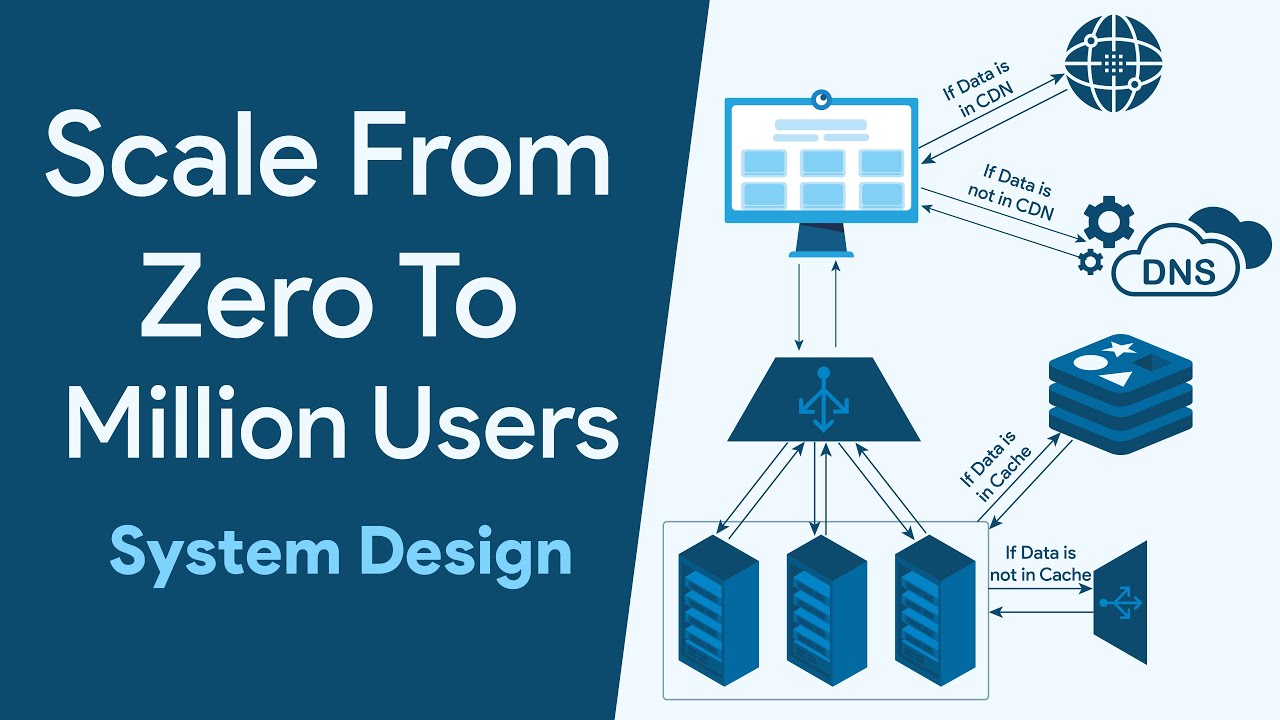
Instead of one giant system, cloud-native apps are broken into smaller, independent pieces. Each part does one job—and does it well.
Scalability and Elasticity
Need more resources? The system expands automatically. Traffic spike? No problem. It stretches like a rubber band without snapping.
Continuous Updates
Updates happen quietly in the background. No downtime. No disruption. Just better software, instantly.
What are Legacy Systems?
Legacy systems are older software solutions, often built years (or decades) ago. They were usually designed for on-premise use and haven’t evolved much since.
Picture a classic car—reliable in its day, but not exactly built for modern highways.
Core Features of Legacy Systems
Monolithic Structure
Everything is bundled into one big system. If one part breaks, the whole thing can feel it.
On-Premise Infrastructure
These systems live on physical servers inside your organization. That means more control—but also more responsibility.
Limited Flexibility
Making changes is often slow and expensive. It’s like trying to remodel a house without knocking down walls.
Key Differences Between Cloud-Native SaaS and Legacy Systems
Deployment Models
Cloud-native SaaS is deployed online and accessible anywhere. Legacy systems? Usually tied to a physical location.
Cost Structure
SaaS typically uses subscription pricing. Legacy systems require upfront investments—hardware, licenses, and IT staff.
Performance and Scalability
Cloud-native solutions scale instantly. Legacy systems require manual upgrades—time-consuming and costly.
Maintenance and Updates
With SaaS, updates are automatic. Legacy systems often need scheduled downtime and hands-on management.
Advantages of Cloud-Native SaaS
Cost Efficiency
No need for expensive hardware or large IT teams. You pay for what you use—simple and predictable.
Accessibility
Work from anywhere. All you need is an internet connection. It’s like carrying your office in your pocket.
Innovation Speed
New features roll out fast. Businesses can adapt quickly without waiting months for upgrades.
Disadvantages of Cloud-Native SaaS
Security Concerns
Storing data online can feel risky. While providers invest heavily in security, some businesses still worry about breaches.
Vendor Lock-In
Switching providers can be tricky. Once you’re in, moving out isn’t always easy.
Advantages of Legacy Systems
Stability and Reliability
These systems have been tested over time. They may be old, but they’re dependable.
Full Control
Everything is managed in-house. No reliance on third-party providers.
Disadvantages of Legacy Systems
High Maintenance Costs
Servers, updates, and IT staff add up quickly. It’s like maintaining an old mansion—expensive and time-consuming.
Lack of Scalability
Growth is difficult. Expanding capacity often requires new hardware and significant planning.
Use Cases: When to Choose Cloud-Native SaaS
Cloud-native SaaS is ideal for:
- Startups needing quick deployment
- Remote teams
- Businesses expecting rapid growth
- Companies focused on innovation
If speed and flexibility are your priorities, SaaS is the clear winner.
Use Cases: When Legacy Systems Still Make Sense
Legacy systems may still work for:
- Highly regulated industries
- Organizations with strict data control requirements
- Businesses with heavy investments in existing infrastructure
Sometimes, sticking with what you have is the safer move.
Migration from Legacy to Cloud
Switching from legacy to cloud isn’t just flipping a switch—it’s more like moving houses.
Challenges in Migration
- Data transfer complexities
- Downtime risks
- Employee training
- Compatibility issues
Best Practices for Transition
- Start with a clear strategy
- Migrate in phases
- Train your team early
- Choose the right cloud provider
A smooth transition requires planning, patience, and the right expertise.
Future Trends in SaaS and Legacy Systems
The future is clearly leaning toward cloud-native solutions. Technologies like AI, machine learning, and edge computing are all cloud-driven.
Legacy systems, meanwhile, are slowly being phased out—or modernized into hybrid models.
It’s not about eliminating legacy overnight—it’s about evolving.
Conclusion
So, cloud-native SaaS or legacy systems—which is better?
The answer isn’t black and white. It depends on your business needs, budget, and long-term goals.
Cloud-native SaaS offers speed, flexibility, and innovation. Legacy systems provide stability and control. The real challenge is knowing when to embrace change—and when to hold onto what already works.
In today’s fast-moving digital world, though, standing still can be riskier than moving forward.
FAQs
1. What is the biggest advantage of cloud-native SaaS?
Scalability and flexibility. It grows with your business without requiring major infrastructure changes.
2. Are legacy systems still relevant today?
Yes, especially in industries where stability and control are critical, such as finance or government.
3. Is cloud-native SaaS secure?
Most providers offer strong security measures, but risks still exist. Proper configuration and compliance are key.
4. How long does it take to migrate from legacy to cloud?
It varies widely—from a few months to several years—depending on complexity.
5. Can businesses use both cloud-native SaaS and legacy systems?
Absolutely. Many organizations adopt a hybrid approach to balance innovation with stability.